In this topic: |
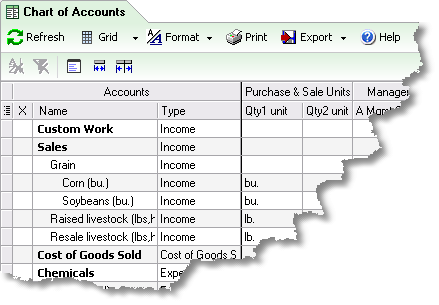
ManagePLUS maintains copies of certain QuickBooks lists, like the Chart of Accounts and Classes list, so that you can associate extra data with the items in those lists—units of measure, management quantities, and so on. This lesson shows how to open a list window and how to refresh a list from QuickBooks, using the Chart of Accounts as an example.
To open the Chart of Accounts window:
| • | Click the Accounts button in the toolbar, or choose Lists > Chart of Accounts from the main menu. |

| The Chart of Accounts window will open in a new tab. Or if it is already open, its tab will be selected. |
 | The first time you open a list, ManagePLUS may not yet have a copy of it and may display a message asking you to allow refreshing (importing) the list from QuickBooks. |
Refreshing a list from QuickBooks
ManagePLUS is not notified about any of the changes you make in QuickBooks. So whenever you change a list entry in QuickBooks, the ManagePLUS copy of that list will be out of date, and you will need to refresh it before preparing reports. For example, if you rename an account in QuickBooks you must then refresh the Chart of Accounts list in ManagePLUS, or your ManagePLUS reports will show the old account name instead of the new one.
To refresh ManagePLUS' copy of a list:
| • | Click the Refresh button. |
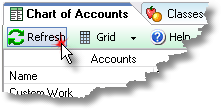
| ManagePLUS will access QuickBooks, retrieve a new copy of the list, and update the list window. |
 | Because ManagePLUS has to access QuickBooks to refresh a list, the refresh will be much faster if you've already opened QuickBooks before clicking on the Refresh button. |